
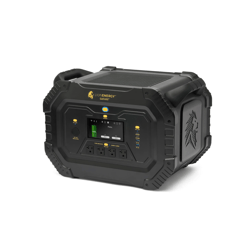
Initiating a Safari Reset
If your Safari is behaving in an unexpected manner:
1. Fully discharge the Safari to 0% using an appliance such as a space heater. To check if the Safari is fully discharged, ensure that the AC outlets do not produce any power and that the unit does not turn on.
2. Then fully recharge the Safari to 100% using the AC wall outlet charger.
3. If a Safari Expansion Pack (XP) is being used, leave the XP connected to the Safari while discharging to 0%. When both the Safari and the XP discharge to 0%, charge the Safari separately to 100%. Then, reconnect the XP to the Safari and fully charge it to 100%. This will ensure that a reset is completed, and the unit should be running properly.
Safari and XP Not Charging Together
1. If the Safari and Safari Expansion Pack (XP) are connected but not fully charging, please reset your Safari by referring to the Perform a Safari Reset under the Initiating a Safari Reset section.
2. If the screen on the Safari stops at about 30%, generally the XP is not charging. If it stops at about 60%, generally the Safari is not charging.
3. If at this point the Safari XP is not charging, please reset the XP by pressing and holding the power button for 5 seconds. A red light will appear on the 60% indicator which will turn off after a few seconds once the reset is complete.
Not Charging From Solar Panels

1. Ensure that the solar panels are set up correctly. The back of each solar panel should have two cables: a longer "output" cable and a shorter "input" cable. The longer "output" cable will connect to the Safari.
2. If multiple solar panels are being used, connect the longer "output" cable from panel #1 to the shorter "input" cable on panel #2. Continue this for each solar panel. The final panel with the unused longer "output" cable will connect to the Safari.
3. If a 25' Extension cable is being used, verify that the end of the cable with the white tag including the safety information is closer to the solar panels.
30A Plug Not Working
1. Ensure that the AC outlet is turned on when using the 30A plug by pressing the AC power button on the front of the Safari.
2. If the AC outlets are turned on, please contact support to receive more help.
Safari Shuts off Before 0%
1. If your Safari is running an appliance with high energy at a low battery percentage, turn the unit back on and try using a smaller load.
2. If the issue persists, please contact support to receive help.