
Use this process to update the Wi-Fi network name (SSID) and password for an EMS-C through the Lion Energy web app on a mobile device.
Before you begin- Use a mobile device with Bluetooth turned on.
- Open Chrome on Android, if available.
- Make sure you are near the EMS-C while pairing.
1. Open the Lion Energy web app (smart.lionenergy.com) and go to product settings
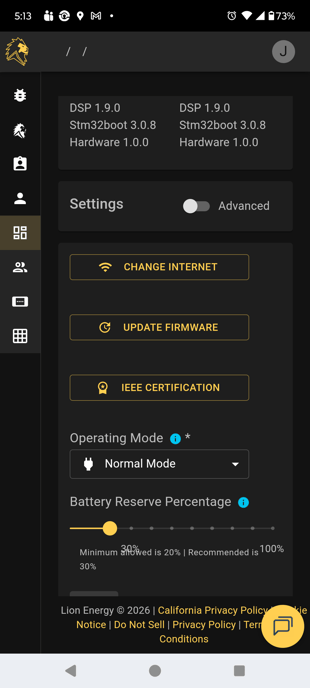
Open a browser and go to smart.lionenergy.com. Select the product, then open Settings. Make sure you are in Settings and not Advanced Settings. Tap Change Internet.
2. Pair the mobile device to the EMS-C or WCM
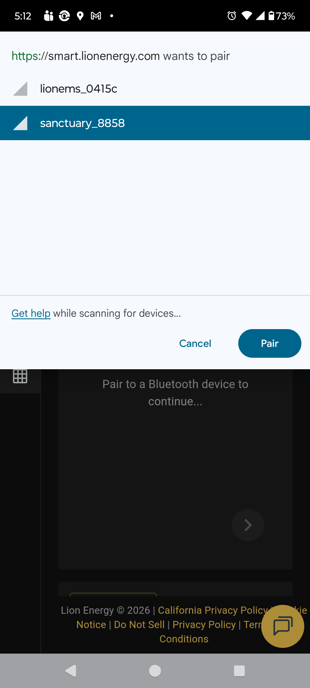
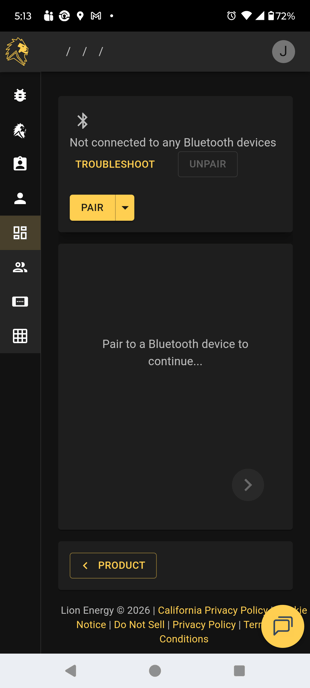
If the Bluetooth device selection box does not open automatically, tap Pair. When the device list appears, select the EMS-C or WCM and tap Pair.
3. If pairing does not work, try basic Bluetooth troubleshooting
If you cannot pair the device:
- Turn Bluetooth off, then back on.
- Close the browser tab, open a new tab, and sign in again.
- Disconnect other Bluetooth devices from the phone.
4. Select Wi-Fi as the connection type
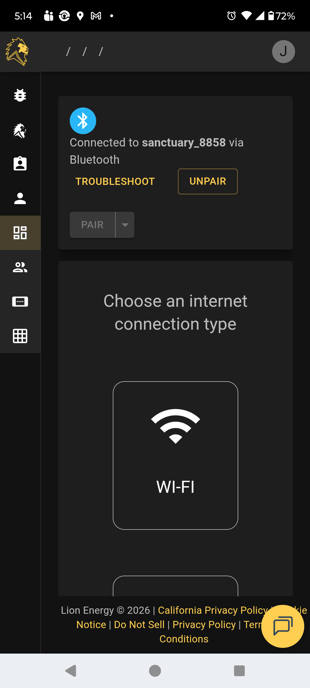
After Bluetooth connects, choose Wi-Fi and allow the app to scan for available networks.
5. Choose the Wi-Fi network and enter the password
Select the correct Wi-Fi network, enter the Wi-Fi password, and tap Connect.
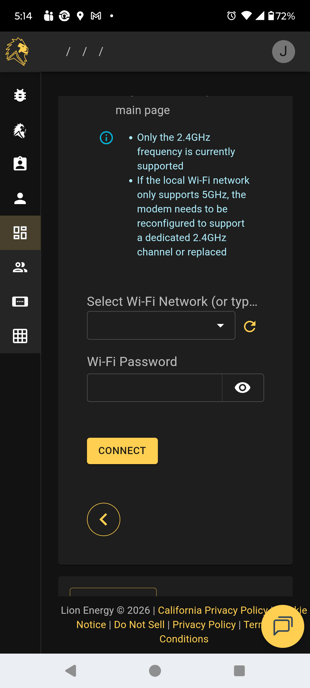
6. Confirm the connection
If the connection is successful, use the Product button to return to the product page.
Notes- The EMS-C works on both 5 GHz and 2.4 GHz.
- If you see a message that says only 2.4 GHz is supported, you can ignore that message for the EMS-C.
If the EMS-C does not appear during pairing or the connection does not complete:
- Verify Bluetooth is enabled on the phone.
- Retry the pairing process.
- Restart Bluetooth on the phone.
- Close and reopen the browser, then sign in again.
- Disconnect other Bluetooth accessories that may interfere with pairing.